AI video / Higgsfield in ChatGPT
Make a short drama
starring you.
I made a 30-second drama with my own face in it from one ChatGPT message. 3 photos, Astra 6.2, the /short-drama command and the Higgsfield plugin. No camera, no editing.
You commented DRAMA: here's the exact prompt I used, the 2-minute setup and how to write one people watch to the end.
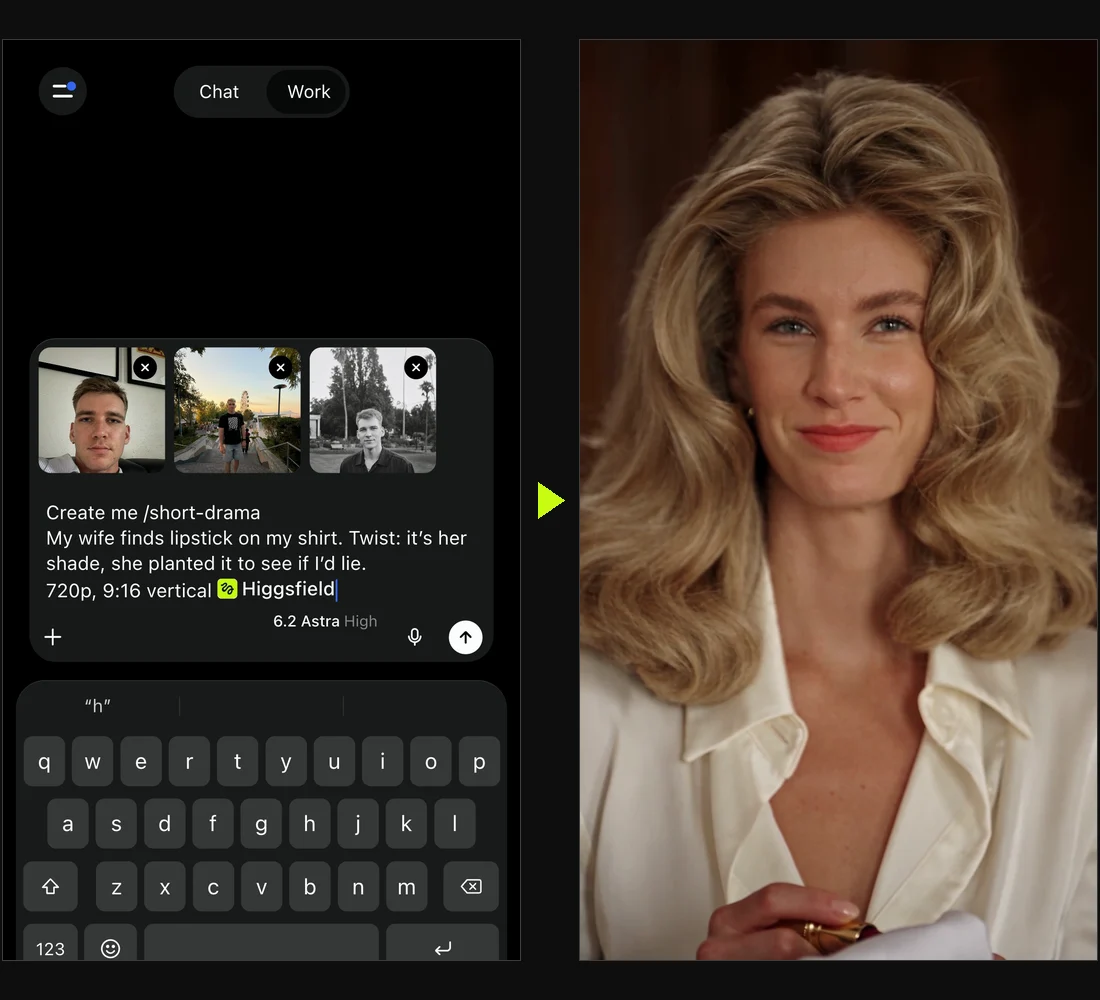
The prompt I used.
Copy it, attach your photos, and swap in your own story when you're ready. Every line of dialogue is written out, with who says it, so the episode sticks to the script.
Create me /short-drama

Main character: me, from my attached photos. Black graphic tee, silver chain.
My wife: blonde, big 70s blowout, cream silk shirt.
Warm vintage hotel suite at night, gold drapes, soft lamp light. Film look, shallow depth of field, slow push-ins on our faces.

She holds up my white shirt. Red lipstick on the collar.
Her: "Whose lipstick is this?"
Me: "Darling, it's not what it looks like."
Her: "Then what does it look like?"
Me: "A client. She hugged me goodbye."
She pulls a lipstick out of her pocket and smiles.
Her: "Funny. It's my shade."
Me: "See, so it was you."
Her: "I put it there this morning to see if you'd lie."
Wide shot: she's packing my suitcase. I just stand there.
Her: "It's not what it looks like, darling."
Beat.
Her: "It's worse."

One episode, about 30 seconds. 720p, 9:16 vertical
@higgsfield
One thing: when you paste it, delete the plain-text @higgsfield at the end, type @ and pick Higgsfield from the list so it turns into the plugin chip. Plain text doesn't call the plugin.
The short version you see me type in the reel works too. Higgsfield writes the scenes and lines for you:
Create me /short-drama
My wife finds lipstick on my shirt. Twist: it's her shade, she planted it to see if I'd lie.
720p, 9:16 vertical @higgsfieldSetup, about 2 minutes.
Connect Higgsfield to ChatGPT
You only do this once.
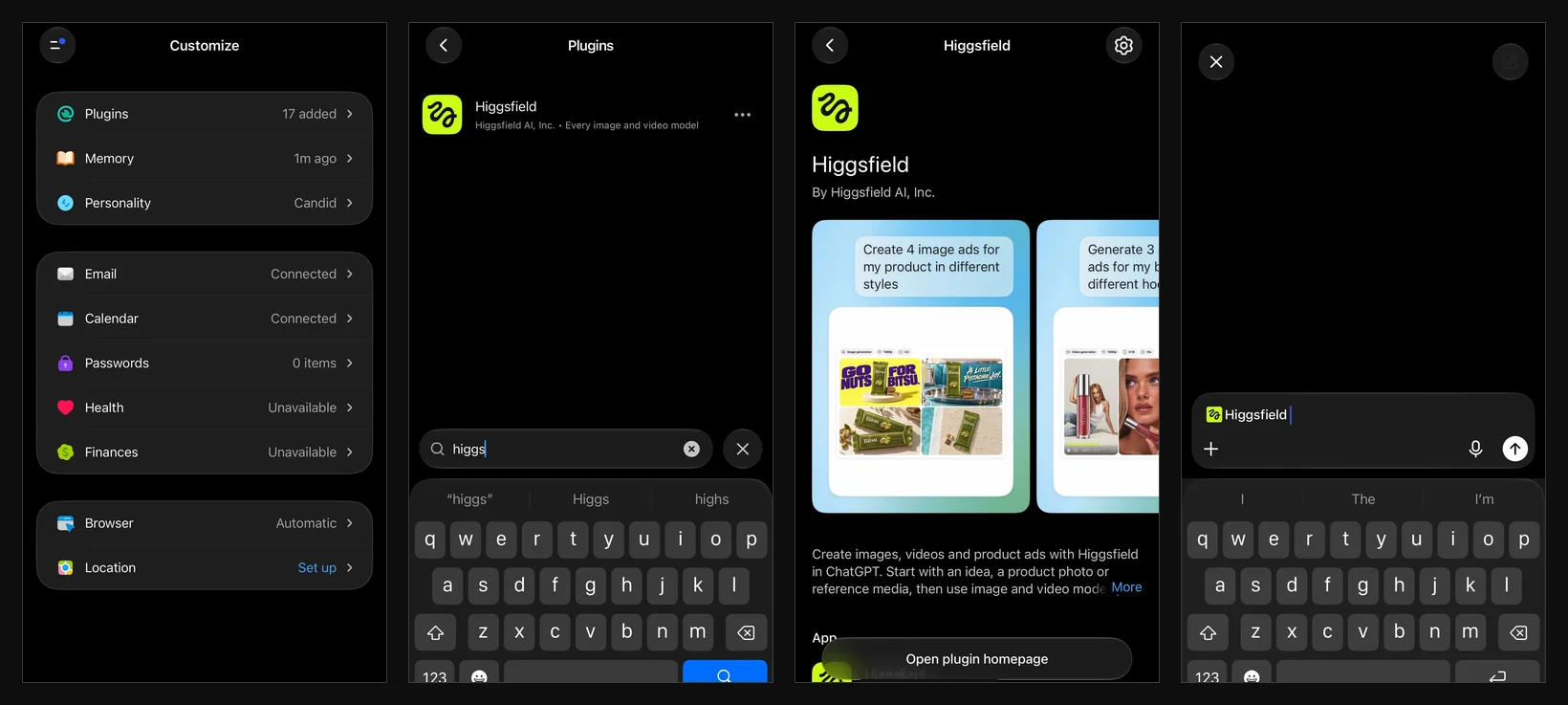
- Open the ChatGPT app and tap the menu at the top left.
- Tap Customize, then Plugins.
- Search Higgsfield and open it.
- Tap Connect, and sign in to your Higgsfield account if it asks.
- Tap Try in chat. You get a new chat with Higgsfield already tagged.
Attach your photos
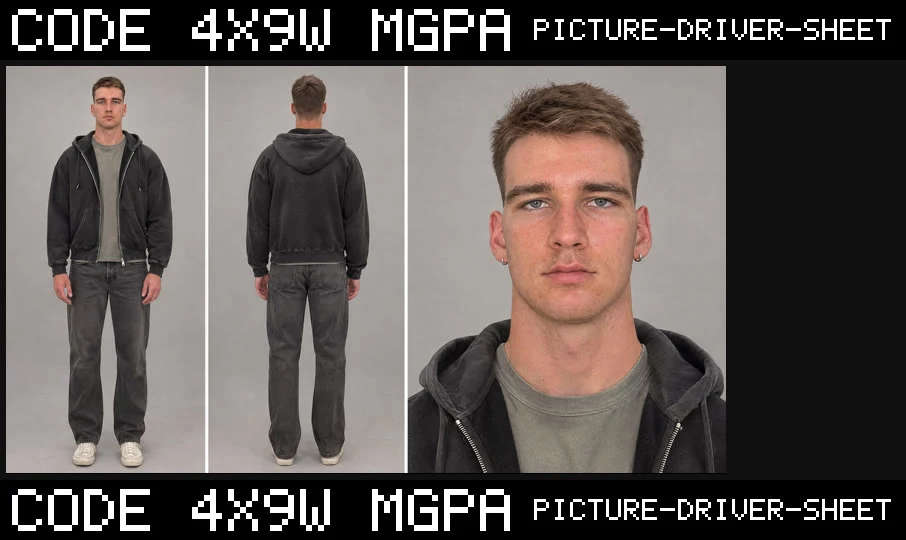
Add 1 to 3 clear photos of yourself: face visible, good light, different angles. One half-body shot helps it get your outfit and build right. I used 3.
Pick Astra 6.2
Tap the model name above the message box and choose 6.2 Astra.
Write your story
Start with Create me /short-drama. Then write who's in it, where it happens and the lines they say. End with 720p, 9:16 vertical.
Tag Higgsfield, then send
At the very end, type @ and pick Higgsfield. It has to turn into the little Higgsfield chip. Then send. It makes the character sheet first, then the episode. If a face, a line or a shot is off, tell it what to fix or ask it to regenerate, and keep the best take.
How to write one people watch to the end.
- Open on conflict. The first line should be a question or an accusation, like "Whose lipstick is this?"
- Keep it small. One location, two characters, 4 to 6 lines of dialogue.
- End on a twist that flips the first line, or on a cliffhanger.
- Write every line in quotes and say who speaks it (Her: "…" / Me: "…").
- Give it a look: the place, the light and the camera, like "film look, close-ups, slow push-ins".
- Aim for about 25 to 30 seconds, one episode.
Create me /short-drama

Main character: me, from my attached photos. [what I'm wearing]
[Other character]: [look, outfit]
[Location], [time of day], [lighting]. [Film look / camera style].

[What happens first, the hook]
[Name]: "[line]"
[Name]: "[line]"
[What happens next]
[Name]: "[line]"
[The twist]
[Name]: "[last line]"

One episode, about 30 seconds. 720p, 9:16 vertical
@higgsfield