The Reference-First Carousel Workflow
All my systems & weekly discoveries here 👇:
 https://www.skool.com/artemis-1201/about
Most people use ChatGPT Image 2 wrong.
They open one chat, type "make me a 6-slide carousel about X," and hit enter.
What comes back is 6 random-looking slides that don't feel like the same carousel. Different fonts. Different vibes. Different layouts.
Then they blame the model.
The model isn't the problem. The brief is.
Here's the workflow I actually use.
The 8 steps
- Pick one sharp idea
- Write the slide copy first
- Collect 2–4 references
- Tell ChatGPT what to borrow from each reference (not copy)
- Generate 3 versions of slide 1
- Refine the best one — that becomes your visual anchor
- Generate the rest, one slide at a time, anchored to slide 1
- Check consistency, regenerate the weak ones, post
Full breakdown below.
Step 1 — Pick one sharp idea
Not a topic. One specific point.
Bad: "AI content creation"
Better: "How to use ChatGPT Image 2 to make Instagram carousels"
Best: "Most people use ChatGPT Image 2 wrong because they ask for the whole carousel instead of building from a visual anchor."
The sharper the idea, the easier every other step gets. Fuzzy ideas → fuzzy carousels.
You can use AI to help you write and come up with the angle or just use my prompt inside my community
Step 2 — Write the slide copy first
Don't generate any image until every slide is written.
You need to know what each slide says before you design it.
The structure I use for a 6-slide:
Slide 1: Hook (the headline that stops the scroll)
Slide 2: Mistake (what most people do wrong)
Slide 3: Sauce (the non-obvious unlock)
Slide 4: Anchor rule (the one rule that holds it all together)
Slide 5: Formula (the repeatable system in one line)
Slide 6: CTA (what to do next)
Each slide gets: headline + support line + tiny bottom note (optional — signals "swipe →").
Write all six before you touch the image generator. The carousel is now a copy doc you happen to be designing.
You can use AI to help you write and come up with the copy or just use my prompt inside my community
Step 3 — Collect 2–4 references
References are the shortcut. Don't describe the style from scratch — show it the style.
Use:
- Instagram carousels (best signal)
- posters
- book covers
- website screenshots
- brand graphics
- previous slides you liked
2 references = thin. 4 = enough variety. More than 4 and ChatGPT loses the signal.
Here is the references I uploaded for my carousel:
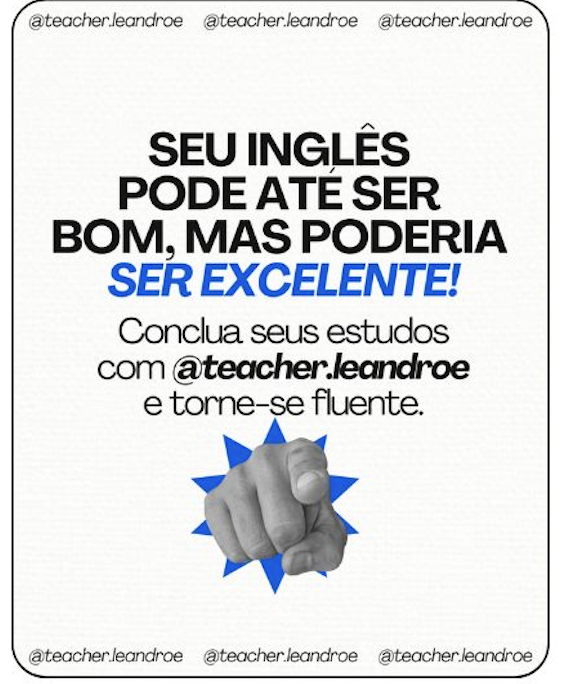
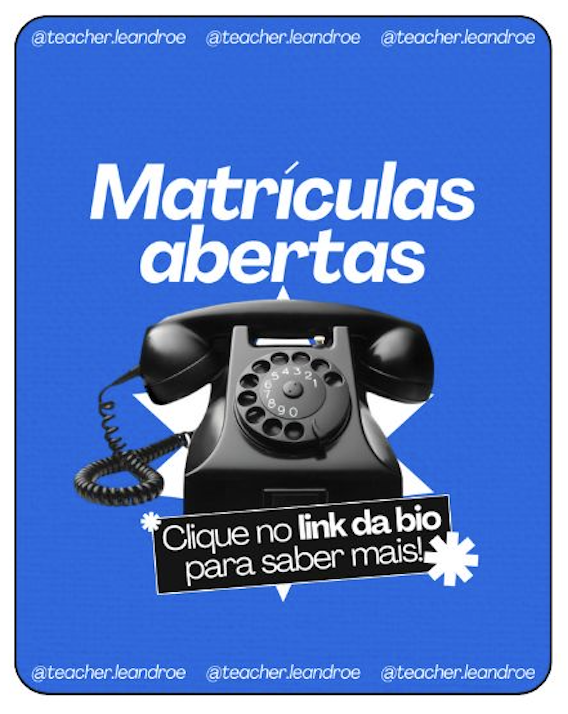
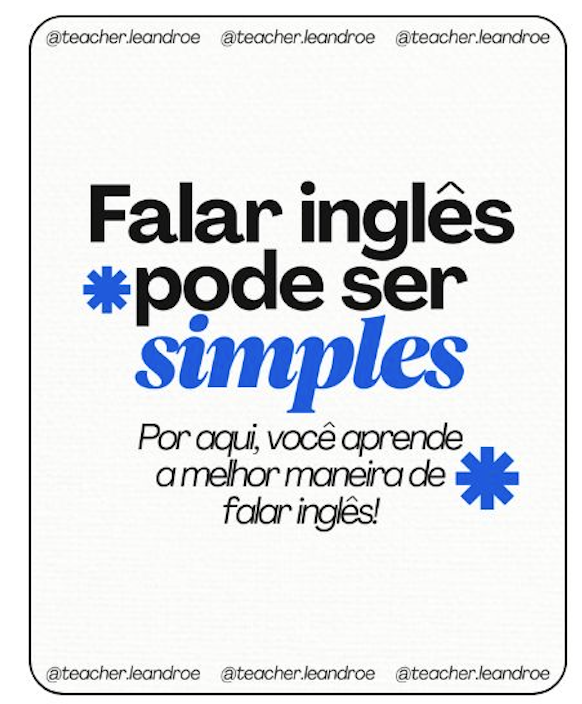

But uploading them isn't the move. The move is step 4.
Step 4 — Give every reference a job
This is where most people lose it.
Don't say "make it like this." That's vague — the model guesses which part to copy from which reference, and you get random.
Instead, assign each reference a role:
- Reference 1 → typography and hierarchy
- Reference 2 → layout and spacing
- Reference 3 → colour, texture, mood
- Reference 4 → pacing and carousel structure
Then spell it out:
Borrow: typography hierarchy, spacing, colour treatment, texture, visual pacing, layout logic, graphics
Do not copy: exact text, exact branding, exact compositions
That one distinction changes the output completely. References stop being "make it look like this" and start being "borrow these specific things."
Step 5 — Generate 3 versions of slide 1
Slide 1 sets the entire visual language for your carousel — typography, colour, layout, spacing, hierarchy, mood. Get this right and every other slide just has to match it.
So you never generate the whole carousel at once. You generate three versions of slide 1, pick the strongest, refine it, and that locked slide becomes the visual anchor for everything else.
The prompt:
Create 3 different versions of slide 1 for an Instagram carousel.

Use the attached references as visual inspiration only.

Borrow from the references:
- typography hierarchy
- spacing
- colour treatment
- texture
- visual pacing
- layout logic

Do not copy:
- exact text
- exact branding
- exact graphics
- exact compositions

Carousel topic:
[INSERT TOPIC]

Audience:
[INSERT AUDIENCE]

Slide type:
Cover / hook slide.

Slide goal:
Stop the scroll and make people want to swipe.

Text on slide:
"[INSERT HEADLINE]"

Support text:
"[INSERT SUPPORT LINE]"

Tiny bottom note:
"[INSERT BOTTOM NOTE]"

Visual direction:
[DESCRIBE WHAT SHOULD BE ON THE SLIDE]

Style direction:
Make it feel raw, editorial, clear, useful, highly readable. Designed, but not corporate.

Format:
4:5 vertical Instagram carousel slide, 1080x1350.

Rules:
- keep the exact text only
- make all text readable
- do not add random words
- do not copy the references directly
- make each version visually distinct
Run it. You'll get three real options, not three near-identical slides.
Step 6 — Refine the best one
Pick the strongest variant. Then refine it with specifics, not vibes.
Don't say "make it better." Say exactly what to change.
What works:
- "Make the headline larger and more dominant."
- "Reduce the clutter and keep one strong focal point."
- "Make the typography feel less generic, more premium."
Always tell it what to keep, what to change, and what to not touch. Otherwise it'll change everything and you lose the parts that were already working.
That refined slide is your anchor. Don't move on until it's locked.
Step 7 — Generate the rest, one slide at a time
This is the rule that holds the whole thing together: every slide 2–6 must reference your anchor directly.
For each new slide, upload your locked slide 1 as an image and tell ChatGPT to match it on:
- typography feel
- spacing
- colour treatment
- texture
- mood
- visual hierarchy
Do not let it invent the style again. Tell it to stay in the same visual family as slide 1.
Generate slides one at a time, not in batches. Batching breaks consistency every time.
Step 8 — Check consistency, regenerate the weak ones, post
When all slides are done, lay them out together. Look for the one that feels off — wrong type, wrong colour, wrong vibe.
You'll usually have one or two weak slides. Don't regenerate everything. Only regenerate the weak ones, with specific notes on what's off.
Then post.
What you have now
If you want to ship one carousel, you have enough. The 8 steps + the reference-borrow logic + the slide 1 prompt = a complete workflow you can run today.
Try it. See what you get.
The full system lives inside Artemis
If you want to skip writing your own prompts for slides 2–6, refinement, and consistency — and you want me to look at your carousel and tell you what to fix — that's what Artemis is for.
What's inside right now:
- Discovery #001 — the full prompt library. Every slide 2–6 prompt template + filled examples, the refinement prompt, the consistency-check prompt, plus the full worked carousel I built for the IG post you commented on.
- System #001 — my full content writing system. The exact setup that lets me ship more without staring at a blank doc.
- My AI Stack — the tools I actually use, updated continuously as new models ship.
- Direct setup help — drop your carousel in the chat. I'll tell you what to fix. Same for any of the systems.
- New Discoveries + Systems every month — Discovery #002 is already in progress.
Artemis is paid. It's for people who want the system around the tactic, not just one tactic.
If that's you, join below👇